Web 2.0 Style two Side Background, Dark to Light Effect


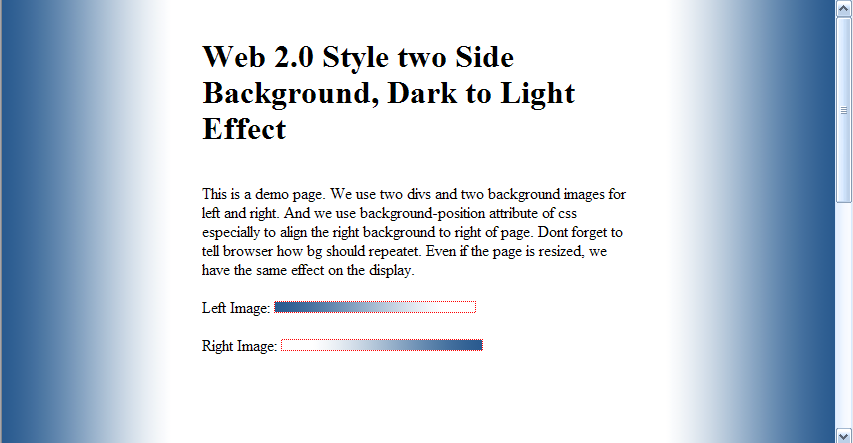
This is a demo page. We use two divs and two background images for left and right. And we use background-position attribute of css especially to align the right background to right of page. Dont forget to tell browser how bg should repeatet. Even if the page is resized, we have the same effect on the display. Demo and More

Left background image:

Right background image:

HTML code:

<!DOCTYPE html PUBLIC "-//W3C//DTD XHTML 1.0 Transitional//EN" "DTD/xhtml1-transitional.dtd">
<html>
<head>
	<title>Web 2.0 Style two Side Background, Dark to Light Effect</title>
	<style type="text/css">
		*, body, div { top: 0; left: 0; margin: 0; padding:0; }
	</style>
	
</head>
<body>
<div style="background: url(background_effect_left.png) repeat-y; background-position: left;">
	<div style="background: url(background_effect_right.png) repeat-y; background-position: right;">
	
	<div style="padding: 0 200px;"><br /><br />

	<h1>Web 2.0 Style two Side Background, Dark to Light Effect</h1>
	<br /><br />
	<p>
	This is a demo page. We use two divs and two background images for left and right. And we use background-position attribute of css especially to align the right background to right of page. Dont forget to tell browser how bg should repeatet. Even if the page is resized, we have the same effect on the display.
	<br /><br />
	Left Image:
	<img src="background_effect_left.png" style="border: 1px dotted red;" />
	
	<br /><br />
	Right Image:
	<img src="background_effect_right.png" style="border: 1px dotted red;" />

	
	<br /><br /><br /><br /><br /><br /><br /><br /><br /><br /><br /><br /><br /><br /><br /><br /><br />
	<br /><br /><br /><br /><br /><br /><br /><br /><br /><br /><br /><br /><br /><br /><br /><br /><br />
	</div>

	
	</p>

	</div>
</div>
</body>
</html>
AttachmentSize
Download this example (HTML Page and both Background Images)37.7 KB

Comments

good example but I need light

good example but I need light to dark and top to bottom

Post new comment

The content of this field is kept private and will not be shown publicly.
  • Use <pre> all your html php come here </pre> for your code
  • Allowed HTML tags: <a> <b> <pre> <h1> <h2> <h3> <h4> <h5> <h6> <em> <strong> <cite> <code> <ul> <ol> <li> <dl> <dt> <dd> <div> <style><img> <br> <blockquote>
  • Lines and paragraphs break automatically.
  • You may insert videos with [video:URL]

More information about formatting options

CAPTCHA
This question is for testing whether you are a human visitor and to prevent automated spam submissions.
Image CAPTCHA
Enter the characters shown in the image.

CafeWebmaster.com(CW) is a free online community for webdevelopers and beginners. Anybody can share their code, articles, tips, tutorials, code-examples or other webdesign related material on the site. Newbies can submit their questions and reply to existing questions. CW does not guarantee or warrant reliability of code, data and information published on the site. Use the site on your own risk. The site takes no responsibility of direct or indirect loss or any kind of harm to its users. The site also doesn't take responsibility of infected files or source code with any kind of infection or viruses, worms, spywares, malwares, trojan horses. CW reserves the right to edit, move, or delete any of content for any reason.