 To prevent quality images being stolen, we can use PHP to watermark web-images in popular formats like GIF/PNG/JPEG. We print a transparent gif-image on a jpeg-photo in this tutorial. For best results I prefer gif than png, because some png formats require extra functions to print a transparent image. We can convert this script to a batch-watermarker easily to watermark photo albums/galleries with multiple pictures by putting code in a loop or create a function.
Steps:
- Load both images
- Get size of both images
- Copy watermark to main image
- Print image to screen
PHP functions:
imagecreatefromgif
imagecreatefromjpeg
getimagesize
imagecopymerge
header
imagejpeg
imagedestroy
Watermark image:

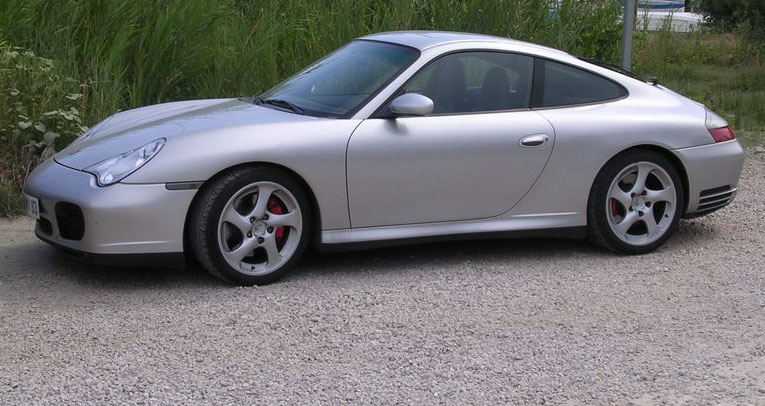
Main image:
PHP Code:
$main_img = "Porsche_911_996_Carrera_4S.jpg"; // main big photo / picture $watermark = imagecreatefromgif($watermark_img); // create watermark if(!$image || !$watermark) die("Error: main image or watermark could not be loaded!"); $watermark_size = getimagesize($watermark_img); $image_size = getimagesize($main_img); // copy watermark on main image // print image to screen
$watermark_img = "watermark.gif"; // use GIF or PNG, JPEG has no tranparency support
$padding = 3; // distance to border in pixels for watermark image
$opacity = 100; // image opacity for transparent watermark
$image = imagecreatefromjpeg($main_img); // create main graphic
$watermark_width = $watermark_size[0];
$watermark_height = $watermark_size[1];
$dest_x = $image_size[0] - $watermark_width - $padding;
$dest_y = $image_size[1] - $watermark_height - $padding;
imagecopymerge($image, $watermark, $dest_x, $dest_y, 0, 0, $watermark_width, $watermark_height, $opacity);
header("content-type: image/jpeg");
imagejpeg($image);
imagedestroy($image);
imagedestroy($watermark);
Example images:
Watermarked image with 10% opacity
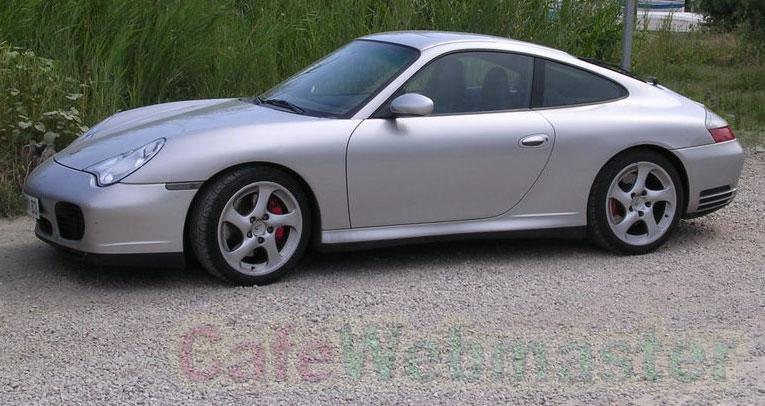
Watermarked image with 50% opacity

Watermarked image with 100% opacity

On the fly Watermark
Hello,
this is really great. However, I was wondering how to accomplish the following:
-Present the visitor with a field which he has to fill in (say with his name or a message) and an image,
-As he types, his text is displayed above the image and saved as such.
I've been searching throughout the web but can't find anything, could you help?
Tnx
Simple Examples FTW!!
Thanks for this striped down example, its great. First few examples I’d seen had loads to do with file writing as well, that just confused the matter. But this really shows just how simple it is.
this code help me a lot .
Thanks ~!